
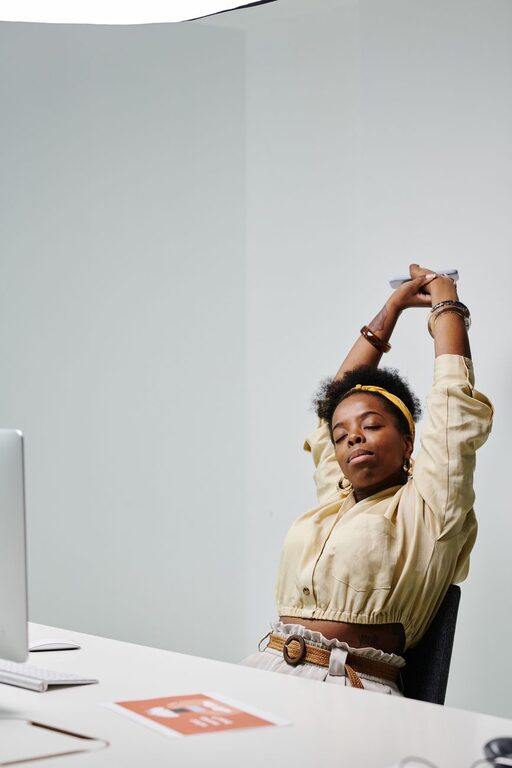
Spending long hours at a computer can make the body feel stiff and tired. Staying in one position may leave your neck, shoulders, back, wrists, and hips feeling less comfortable by the end of the day. A few simple stretching habits can help you add more movement to your routine without leaving your desk for long periods.
Desk stretching is not about forcing your body into difficult positions. It is about taking short, regular movement breaks and gently changing the position of your joints and muscles. When combined with a comfortable workstation and regular standing or walking, these habits can make the workday feel more balanced.
Why Desk Stretching Matters
Computer work often involves repeated movements and long periods of sitting. You may look at the same distance, keep your arms in a similar position, and hold your head steady while typing or reading. Over time, this can contribute to general stiffness and reduced comfort.
Short stretching breaks can help you:
– Break up long periods of sitting
– Move your neck and shoulders through a wider range of motion
– Relax areas that feel tense after typing
– Refresh your attention between tasks
– Build more movement into a busy schedule
Stretching works best when it is gentle and consistent. A short routine performed several times a day is often easier to maintain than one long session at the end of the workday.
Start With a Simple Stretching Schedule
The easiest way to build a desk stretching habit is to connect it to activities you already do. For example, stretch after finishing a meeting, while waiting for a file to load, or before starting your lunch break.
Try these scheduling ideas:
– Take a brief movement break every 30 to 60 minutes.
– Stand up during phone calls when possible.
– Use the end of a meeting as a reminder to roll your shoulders.
– Set a quiet timer if you often lose track of time.
– Pair stretching with drinking water or checking your daily task list.
A break does not need to be long. One or two minutes of movement can be enough to interrupt a fixed sitting position. When you have more time, take a short walk or complete a longer routine.
Neck and Shoulder Stretches
The neck and shoulders often become tense during computer work, especially when you lean toward the screen or raise your shoulders while typing. Move slowly and keep the motions comfortable.
Gentle Neck Turns
Sit or stand tall with your shoulders relaxed. Slowly turn your head to look toward one side, then return to the center. Repeat on the other side. Continue for several relaxed repetitions without forcing the movement.
Side Neck Stretch
Let one arm rest beside you. Gently tilt your head so one ear moves toward the same-side shoulder. Keep the opposite shoulder relaxed and avoid lifting it. Hold briefly, return to center, and repeat on the other side.
Shoulder Rolls
Lift your shoulders slightly, move them back, and then lower them. Continue in a smooth circle several times. Reverse the direction to create a balanced movement.
Upper Back Reach
Bring your hands together in front of your body and reach forward as if gently pushing something away. Allow your upper back to round slightly while keeping your neck relaxed. This can provide a helpful change from the forward-reaching position used for typing.
Wrist, Hand, and Forearm Stretches
Typing and mouse use place the hands and forearms in repeated positions. Small movements throughout the day can help prevent them from feeling overly fixed.
Finger Opens and Closes
Make a relaxed fist, then spread your fingers wide. Repeat several times. Keep the movement easy rather than squeezing hard.
Wrist Circles
Hold your hands in front of you and slowly circle your wrists in both directions. Keep your forearms relaxed and use a comfortable range of motion.
Forearm Stretch
Extend one arm in front of you with the palm facing up. With the other hand, gently guide the fingers downward. Hold briefly, then switch sides. Repeat with the palm facing down if that feels comfortable.
Keep your wrists in a neutral position while typing whenever possible. Avoid resting them sharply against the edge of a desk, and adjust your keyboard or mouse position if you frequently reach too far.
Chest, Back, and Hip Stretches
Sitting for long periods can limit movement in the chest, back, and hips. These areas benefit from stretches that open the front of the body and encourage you to stand tall.
Seated Chest Opener
Sit near the front of your chair. Place your hands behind your back, or simply reach your arms slightly behind you. Gently draw your shoulders back without arching strongly. Hold for a few breaths, then relax.
Seated Torso Turn
Sit upright with both feet on the floor. Place one hand on the outside of the opposite thigh and gently turn your upper body to one side. Keep the movement comfortable and avoid pulling. Return to the center before turning the other way.
Seated Hip Stretch
Place one ankle over the opposite knee if this position feels comfortable. Keep your back reasonably straight and lean forward only slightly. Hold for a short time, then switch sides. If the position feels tight or unstable, keep both feet on the floor instead.
Standing Front-of-Hip Stretch
Stand behind your chair and hold it for balance. Step one foot back and gently bend the front knee while keeping the back leg comfortable. Keep your body upright and avoid leaning excessively. Return to the starting position and switch sides.
Make Your Workstation Support Movement
Stretching is only one part of a comfortable computer routine. Your workspace should make it easy to change positions and move naturally.
Consider these adjustments:
– Place the screen at a height that allows you to look forward without constantly bending your neck.
– Keep the keyboard and mouse close enough that your elbows can stay near your sides.
– Set both feet on the floor or use a footrest for support.
– Keep frequently used items within easy reach.
– Alternate between sitting and standing if your workspace allows it.
– Move the screen or chair when switching between tasks instead of staying in one position all day.
A good setup does not need to look perfect. The most useful arrangement is one that lets you work comfortably and change positions throughout the day.
Stretch Safely and Comfortably
Desk stretches should feel gentle. Mild tension can be normal, but sharp, sudden, or worsening discomfort is a reason to stop. Do not bounce, force a joint, or hold your breath while stretching.
Use these simple guidelines:
– Move slowly in and out of each position.
– Keep your breathing relaxed.
– Start with a small range of motion.
– Stop if a movement causes pain, numbness, or unusual discomfort.
– Choose stable support when standing.
– Avoid stretching through strain just to match a certain position.
If a particular movement does not feel right, skip it and try a simpler option, such as walking briefly or rolling your shoulders.
Build a Habit That Lasts
The best desk stretching routine is one you can repeat regularly. Begin with two or three movements that feel easy and connect them to predictable moments in your schedule. For example, you might roll your shoulders before opening email, stretch your wrists after a meeting, and stand for a minute before lunch.
Over time, add variety. Include neck movements, upper-body stretches, hand exercises, and standing breaks so that you are not repeating the same position all day.
Small changes can make a meaningful difference to your daily routine. By taking regular movement breaks, adjusting your workspace, and treating stretching as a normal part of computer work, you can create a more comfortable and active workday.